
How Optimole handles PDF files
Optimole offers limited support for PDF files through our cloud platform. While image optimization remains the core focus, PDF uploads are supported to some extent. This guide explains how PDF files are handled within Optimole and what limitations currently exist.
📝 Note: PDF support in Optimole does not include compression or optimization. This feature is still under consideration for future development.
📤 Uploading PDF Files to Optimole Cloud and using in content
You can upload PDF files directly to the Optimole cloud through the Optimole dashboard or via Cloud Library in your WordPress dashboard. Once uploaded, you can insert those files on your site from the Optimole Cloud Library or using the URL of the file from the CDN directly.
- Go to your Optimole Dashboard.
- Upload your PDF file using the Cloud Library.
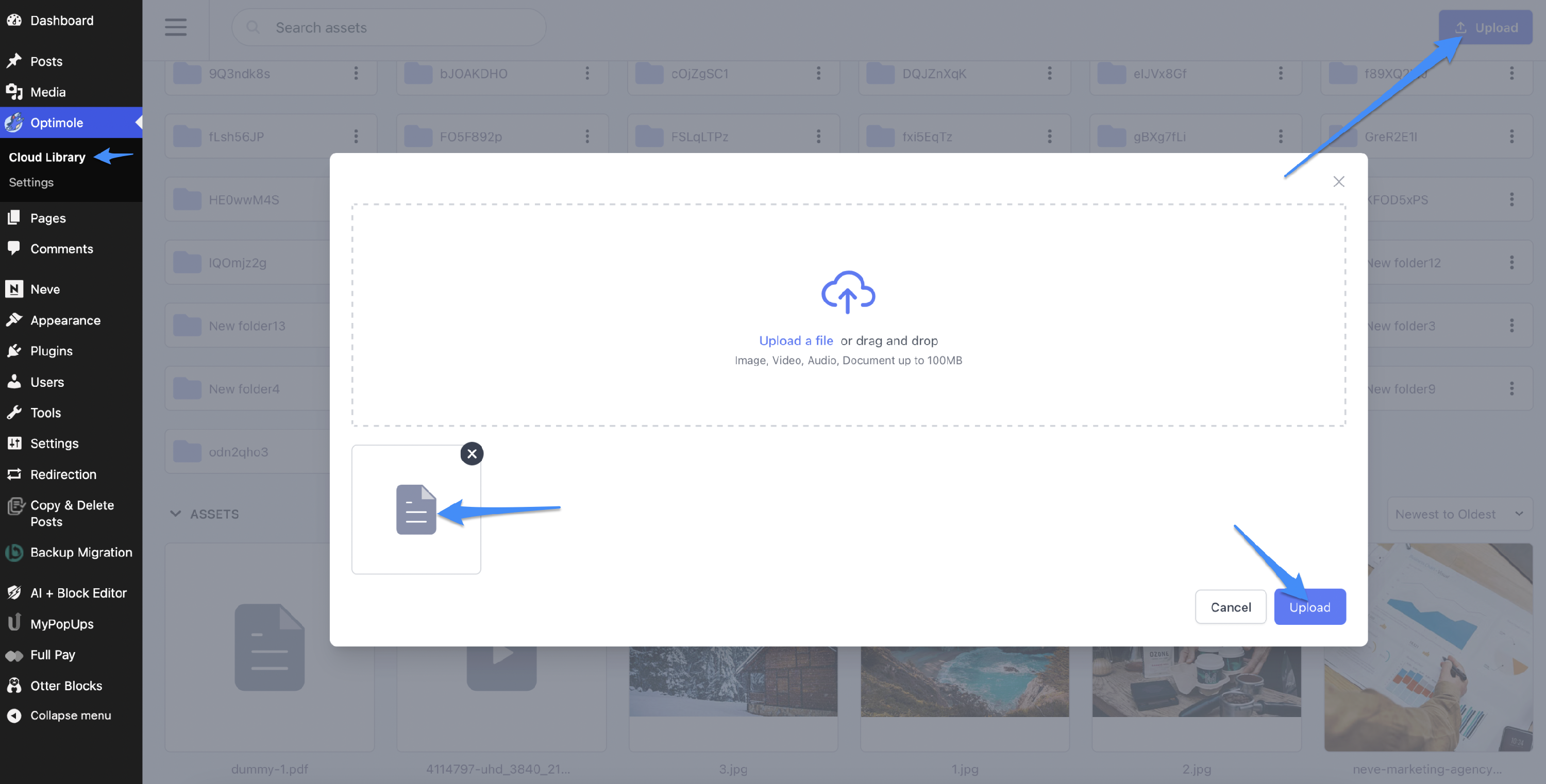
-
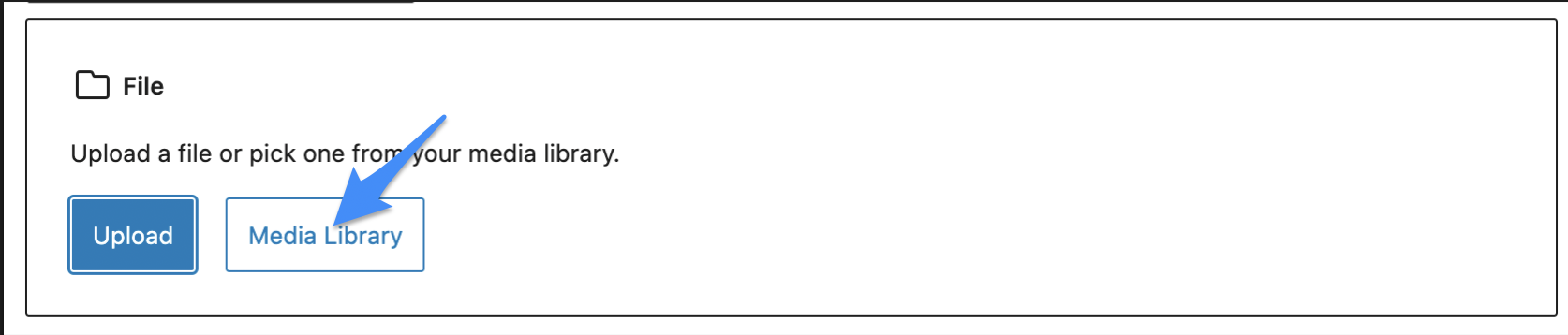
Insert the uploaded file into your website content:
1. Select File block, and click Media Library:
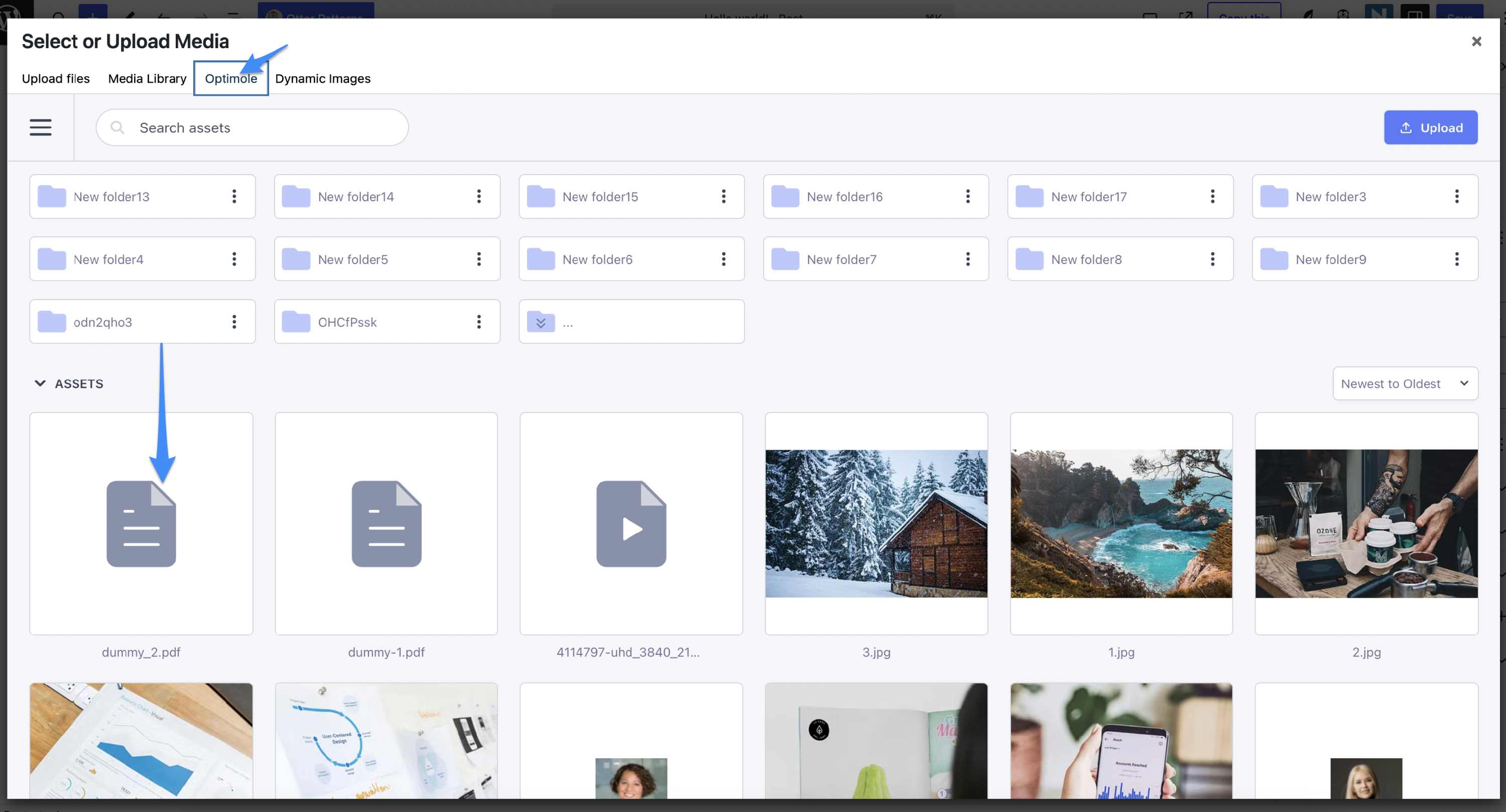
2. Select Optimole and pick your file from there:
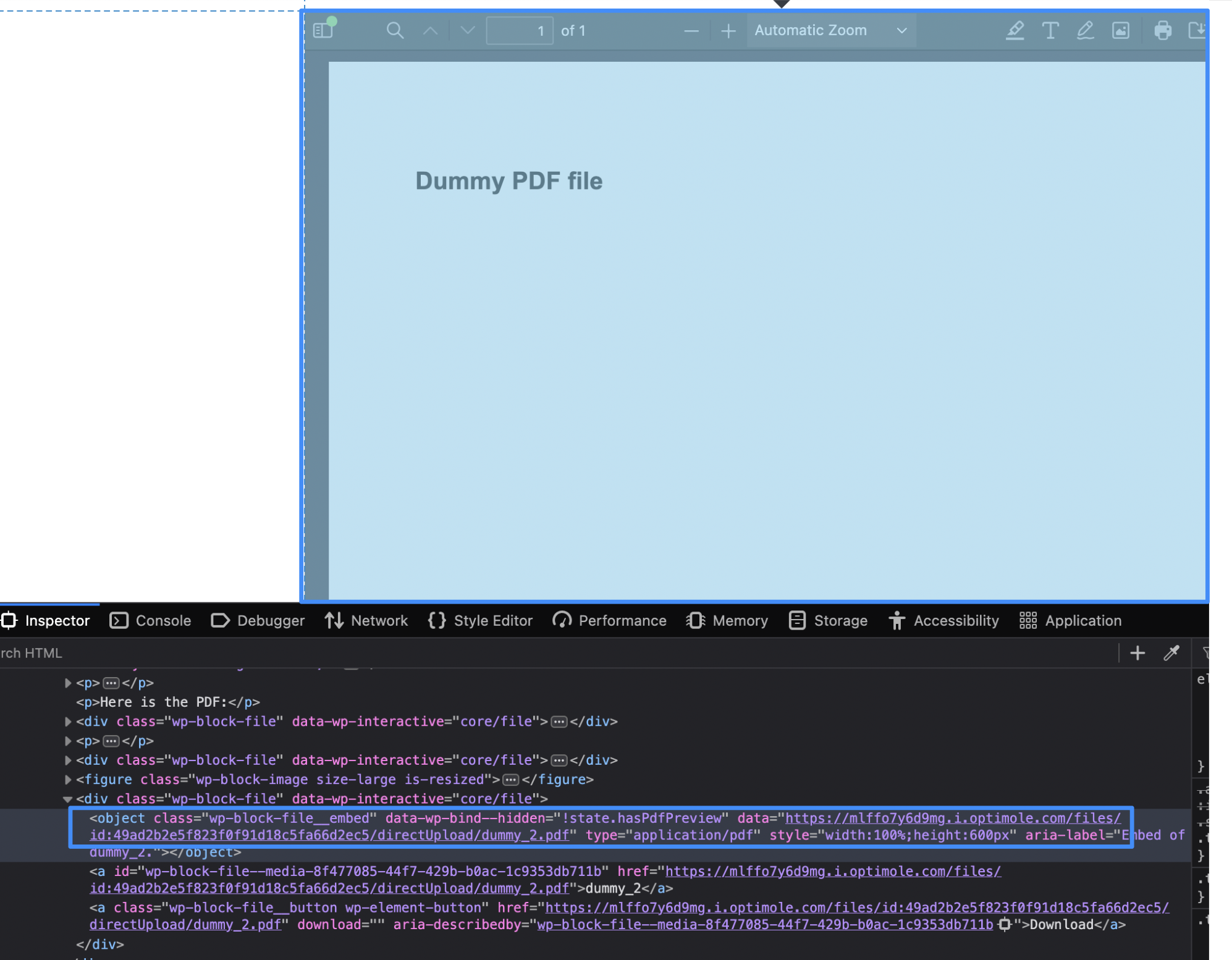
3. This way, you insert a PDF file from the Cloud to your content and it will be served from Optimole CDN:
🔗 Limitations: No URL Replacement or Media Library Offloading
Optimole’s current workflow for PDF files is different from how it handles images:
- 📌 The plugin replacer does not support replacing URLs of PDF files embedded in your content. This means that if you have some PDF added in your content of the pages, it will remain as it is, if you want the file to be served from Optimole's CDN, you should upload the file to the cloud and use the that uploaded file.
- 📌 PDFs in the WordPress Media Library cannot be offloaded to Optimole cloud. You need to upload PDF file directly to the cloud.
- 📌 No compression or optimization is applied to PDF files — Optimole does not shrink or re-encode PDFs, we only serve it from CDN.
These limitations mean that while PDF hosting is available via the Optimole cloud, true optimization features (such as PDF compression or automatic delivery via rewritten URLs) are not yet implemented.
📎 Summary
- ✅ You can upload PDFs to Optimole cloud via the dashboard.
- ❌ You cannot optimize or compress PDF files.
- ❌ PDFs in the WordPress Media Library are not offloaded.
- 🔜 Future support for compression and full integration is under consideration.