
Appearance
How to Update Payment Details in Optimole?
This guide shows you how to update the payment method saved for your Optimole subscription through the FastSpring billing portal.
Updating a payment method and changing a subscription are two separate actions. Replacing a card never requires you to choose a plan or a billing frequency, so if you are asked to pick a plan, to select monthly or annual billing, or to confirm a new order, you are in the checkout flow rather than in your payment-method settings. To change your plan tier or switch between monthly and annual billing, see How can I upgrade my plan? instead.
⚠️ Important: Do not start a new checkout to update a payment method. A new FastSpring checkout creates a second subscription — on the plan and billing frequency selected during that checkout — instead of updating your existing one, which can result in duplicate charges.
1. First, login into the Optimole account on this link.
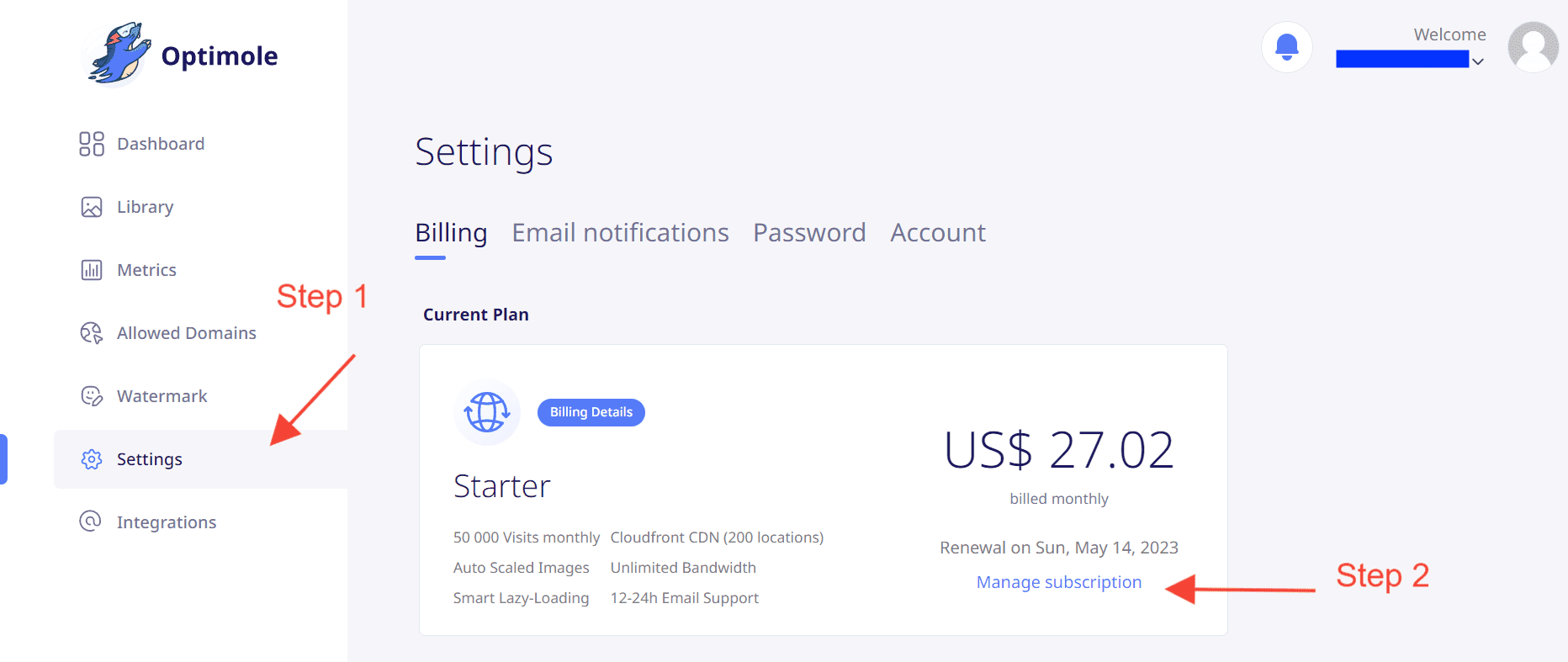
2. Navigate to the Settings tab.
3. Under the active plan, click on Manage subscription. You will be redirected to the FastSpring page.
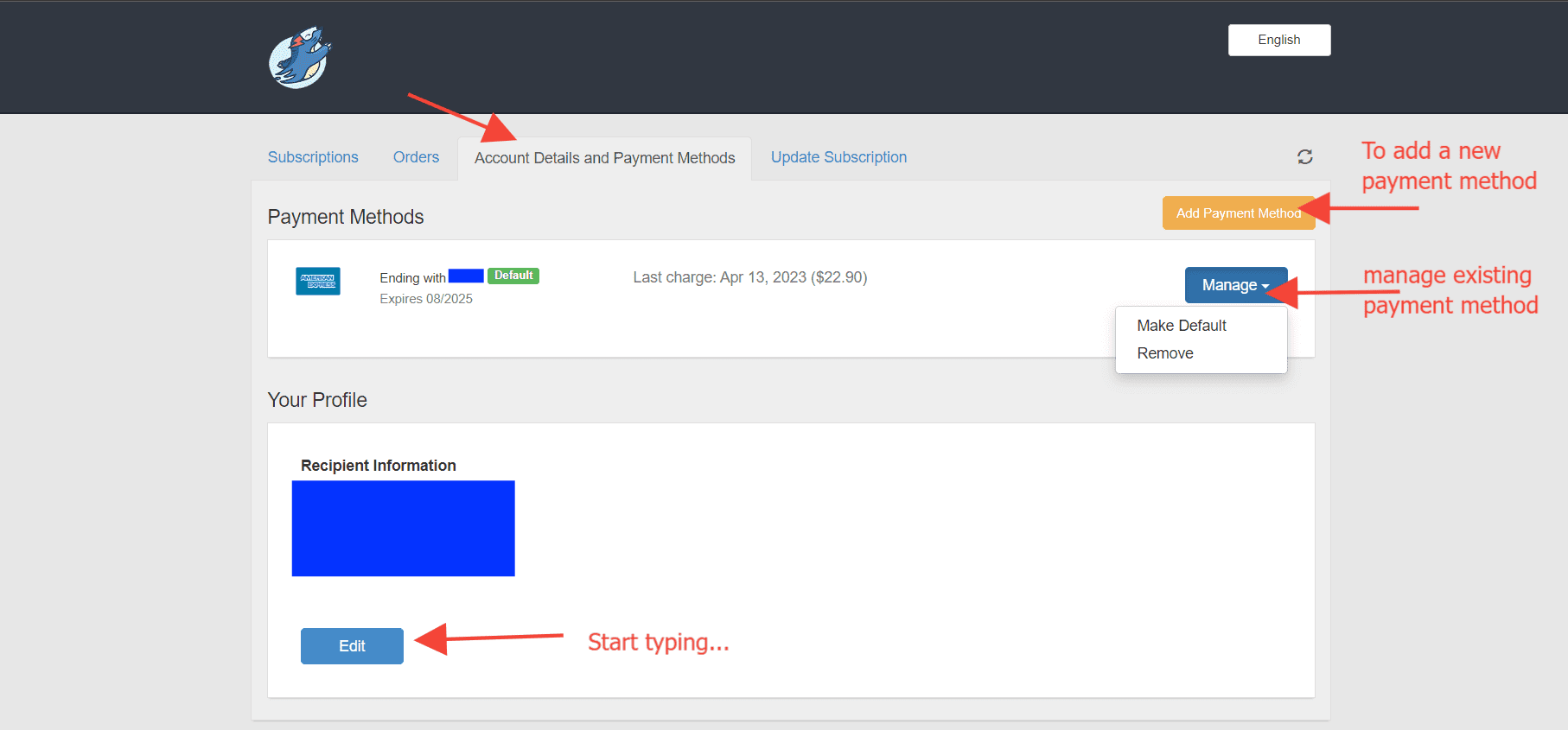
4. Navigate to the Account Details and Payment Methods tab to add a new payment method or manage the existing one. This is the only step needed to replace or update a card.
📝 Note: When you add a payment method, select Apply to all my subscriptions so your existing subscription is charged with the new card at its next renewal.
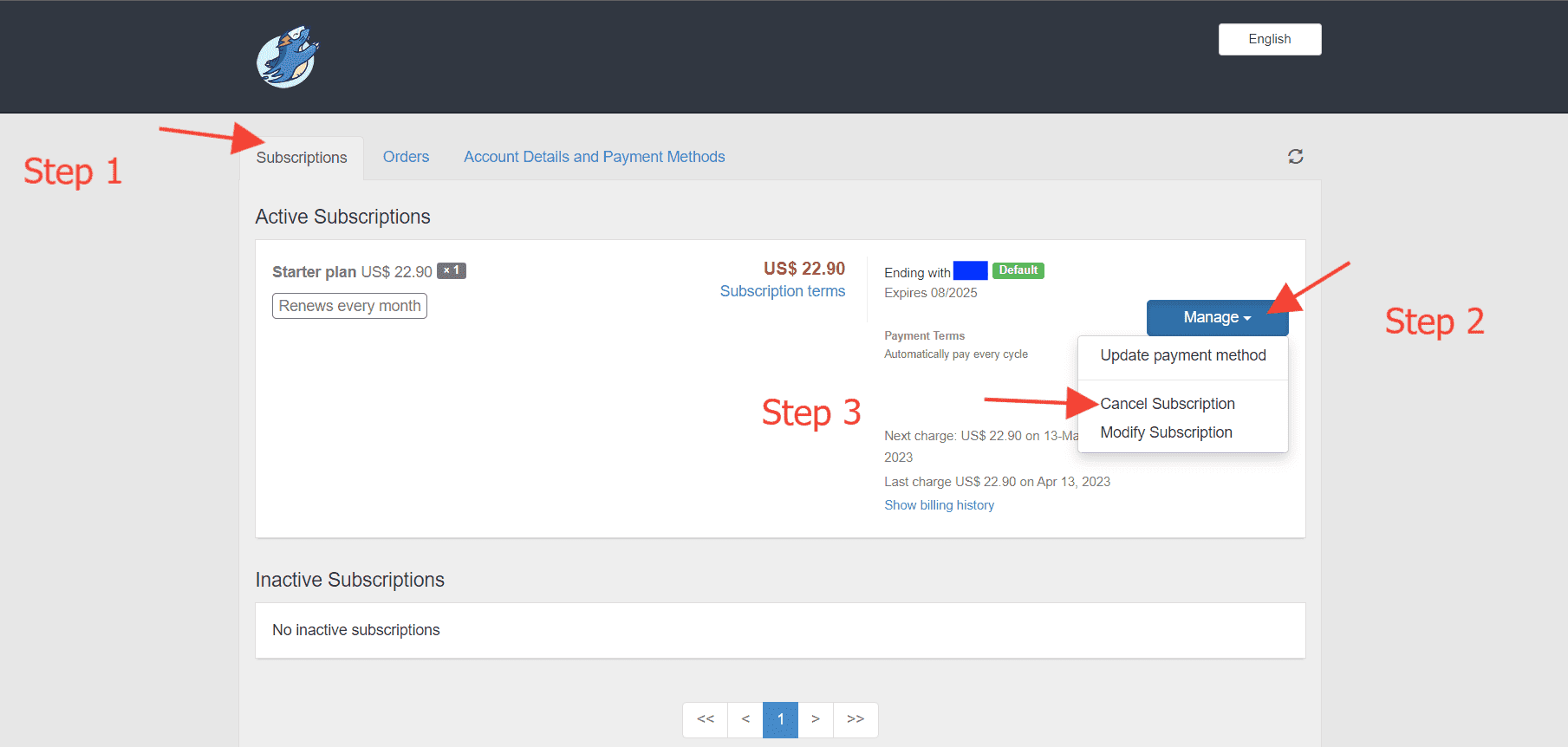
5. In the Subscriptions tab, the Manage button is used to review or cancel the current subscription. Plan tier and billing frequency changes cannot be made here — see How can I upgrade my plan?.
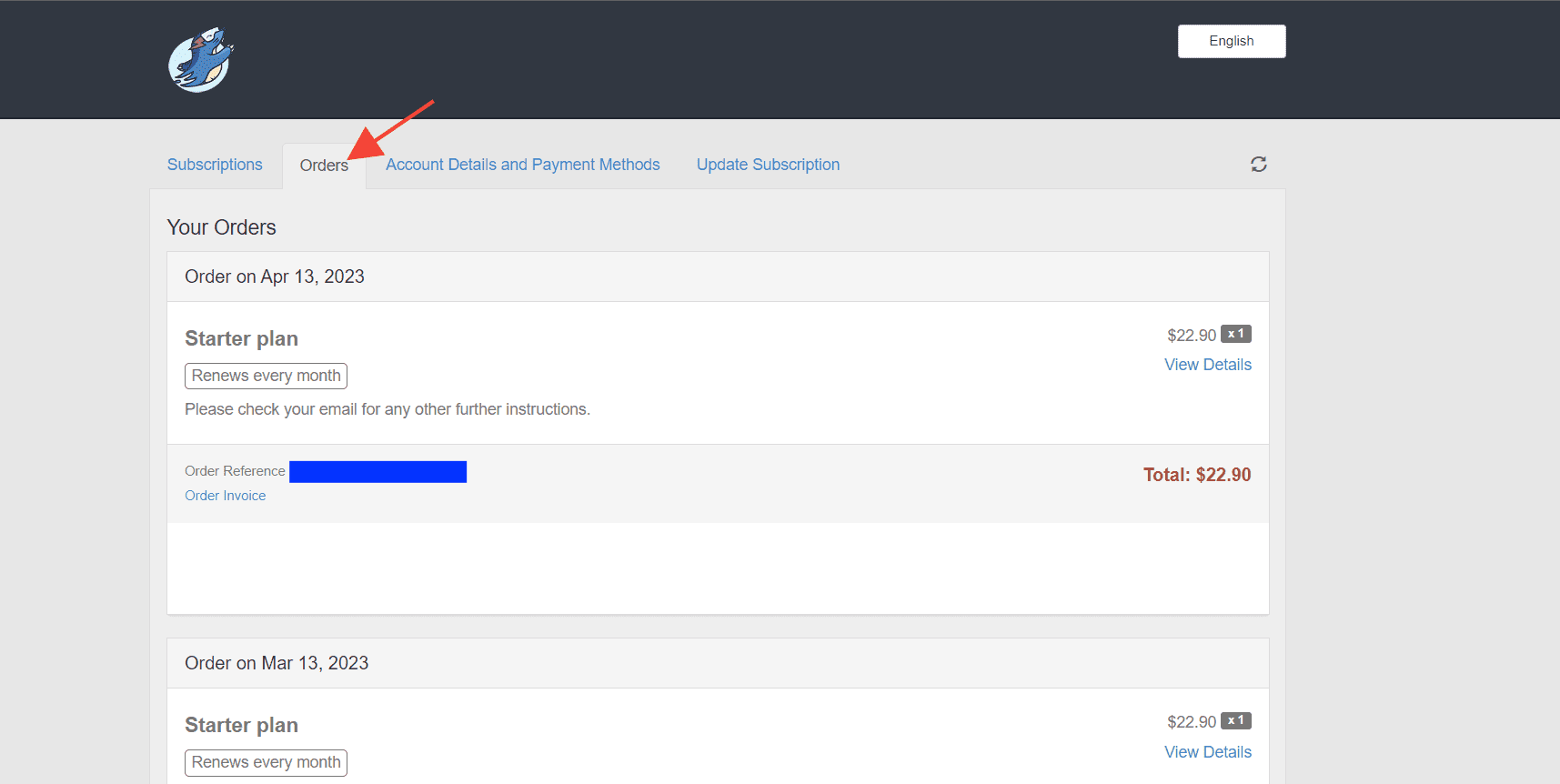
6. Apart from this, you can also check the previous orders under the Orders tab:
Verify your subscription after the update
After you update the payment method, confirm that nothing else about the subscription changed:
- In the Subscriptions tab, check that only one subscription is active, and that its plan, billing frequency, and renewal date are the same as before.
- In the Orders tab, check that no new order appeared while you were updating the card.
If you find a second subscription or an unexpected charge, see Why Was I Charged Twice for Optimole?.
If a renewal payment already failed
If your renewal payment failed, updating the card is only part of the fix — the outstanding payment still has to be completed. Follow Overdue Payments and Subscription Cancellation, which covers settling an overdue payment and what to do if the subscription was already cancelled.