
Appearance
Billing Emails and Invoice Delivery
Optimole processes all subscription billing through FastSpring, a third-party payment processor. Billing-related emails — including invoices, renewal notices, and overdue payment alerts — are sent by FastSpring, not directly by Optimole. This article explains how to recognize legitimate billing emails, verify your subscription status, and configure where invoices are delivered.
In this article
How Optimole Handles Billing
Optimole uses FastSpring as its payment processor for all paid plans. When you subscribe to or renew an Optimole plan, FastSpring handles the payment transaction and sends billing communications on behalf of Optimole.
Because of this, billing emails will come from FastSpring rather than from an @optimole.com address. This is expected behavior and does not indicate a problem with your account.
📝 Note: You can access your FastSpring billing portal at any time by logging in to dashboard.optimole.com, navigating to Settings, and clicking Manage subscription under your active plan.
Recognizing Legitimate Billing Emails
If you receive a billing email and are unsure whether it is legitimate, look for these characteristics:
- Sender: The email comes from FastSpring (not from Optimole directly).
- Subject line: Typically references your Optimole plan name, such as "Starter Plan Yearly payment overdue" or "Your Optimole subscription renewal."
- Content: The email mentions Optimole by name and may reference the domain(s) connected to your account.
- Links: Legitimate emails link to the FastSpring billing portal for managing your subscription or updating payment details.
⚠️ Important: If you are unsure about any email claiming to be related to your Optimole subscription, do not click any links in the email. Instead, log in directly to dashboard.optimole.com and check your subscription status from there.
Verifying Your Subscription
To confirm whether a billing email matches your actual account status:
1. Log in to your Optimole account at dashboard.optimole.com.
2. Navigate to Settings in the left sidebar.
3. Check your current plan and subscription status displayed under the Billing section.
4. Scroll down to the Invoices area to review recent invoices and payment history.
5. To view full subscription details, click Manage subscription to open the FastSpring billing portal, where you can see your active plan, payment method, and upcoming renewal date.
If the information in your dashboard matches what the email describes, the email is legitimate.
Configuring the Billing Email
You can specify a separate billing email address for receiving invoices. This is useful if your billing department uses a different email than the account owner.
📝 Note: This field is shown only while you have an active paid subscription. If you are on the free plan, or your subscription is cancelled or expired, the field does not appear.
1. Log in to your Optimole account at dashboard.optimole.com.
2. Navigate to Settings and click on the Account tab.
3. Scroll to the Alternative Email Address for Receiving Invoices section.
4. Enter the email address where invoices should be sent. Make sure this address is actively monitored by the person responsible for handling payments.
5. Click Save to apply your changes.
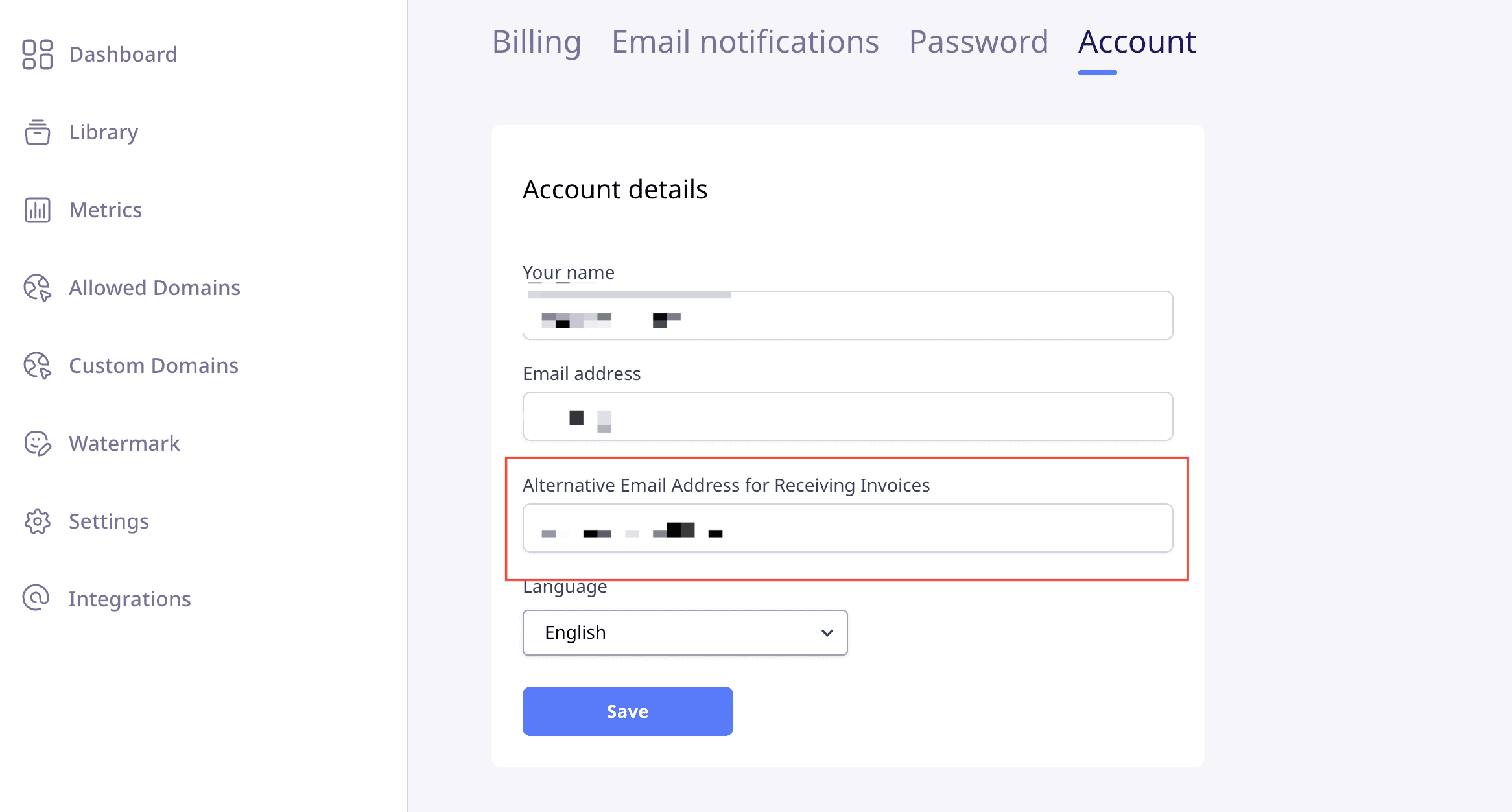
All future invoices will be delivered to the billing email address you specified.
Account email vs. billing email
Your Optimole account email and the address that receives billing communications are stored separately. Your account email is the address you use to sign in at dashboard.optimole.com, while billing communications are handled by FastSpring, which keeps its own billing contact for your subscription.
Because these are managed separately, changing your Optimole account email does not change where billing emails are sent. If the person who set up the subscription leaves your organization, updating the account email alone will not redirect invoices, renewal notices, or overdue-payment alerts — those can keep going to the previous address until the billing contact is updated as well.
To make sure billing communications reach the right person:
- For invoice copies, set the address in the Alternative Email Address for Receiving Invoices field described above.
- To change the account email itself, see How to Update Your Account Name and Email.
- If billing emails are still going to a former or incorrect address — for example, after an account owner change — contact Optimole support at friends@optimole.com to update the billing contact stored with FastSpring. Include your account email, the address currently receiving billing emails, the address you want to use instead, the domain(s) connected to your account, and your order ID if you have it.
📝 Note: Updating your Optimole account email keeps you signed in with the new address, but the FastSpring billing contact must be updated separately so invoices and payment notices reach the right person.
Invoice delivery vs. manual invoice payment
Receiving invoices by email — including to an alternative billing address — is for record-keeping and accounting purposes only. It does not mean that Optimole supports paying by invoice or that you can request a manual invoice as an alternative to completing the payment online.
All Optimole subscription payments, including renewals, must be completed through the FastSpring billing portal using the payment options available there. If your organization cannot use the available payment options, the subscription cannot be renewed and will eventually be cancelled for non-payment.
📝 Note: Configuring an alternative billing email ensures your accounting team receives invoices automatically, but the payment itself must still be completed through the FastSpring billing portal.
If you need further assistance, contact Optimole support at friends@optimole.com.