
Appearance
Retina Quality
A Retina image is an image created specifically to look sharp on a Retina display. Retina screens, also known as HiDPI screens, feature a significantly higher pixel density compared to standard screens. Consequently, images must be twice their original size to ensure that everything appears crisp and well-defined on these high-resolution displays.
If you're using a Retina display and you observe that the images appear slightly blurry after optimization, it's advisable to activate this option. By enabling the "Retina images" feature, the images will be fine-tuned to display correctly on Retina screens. This feature is enabled by default with the "Quality Optimized" preset mode.
In this article
Configure the Feature
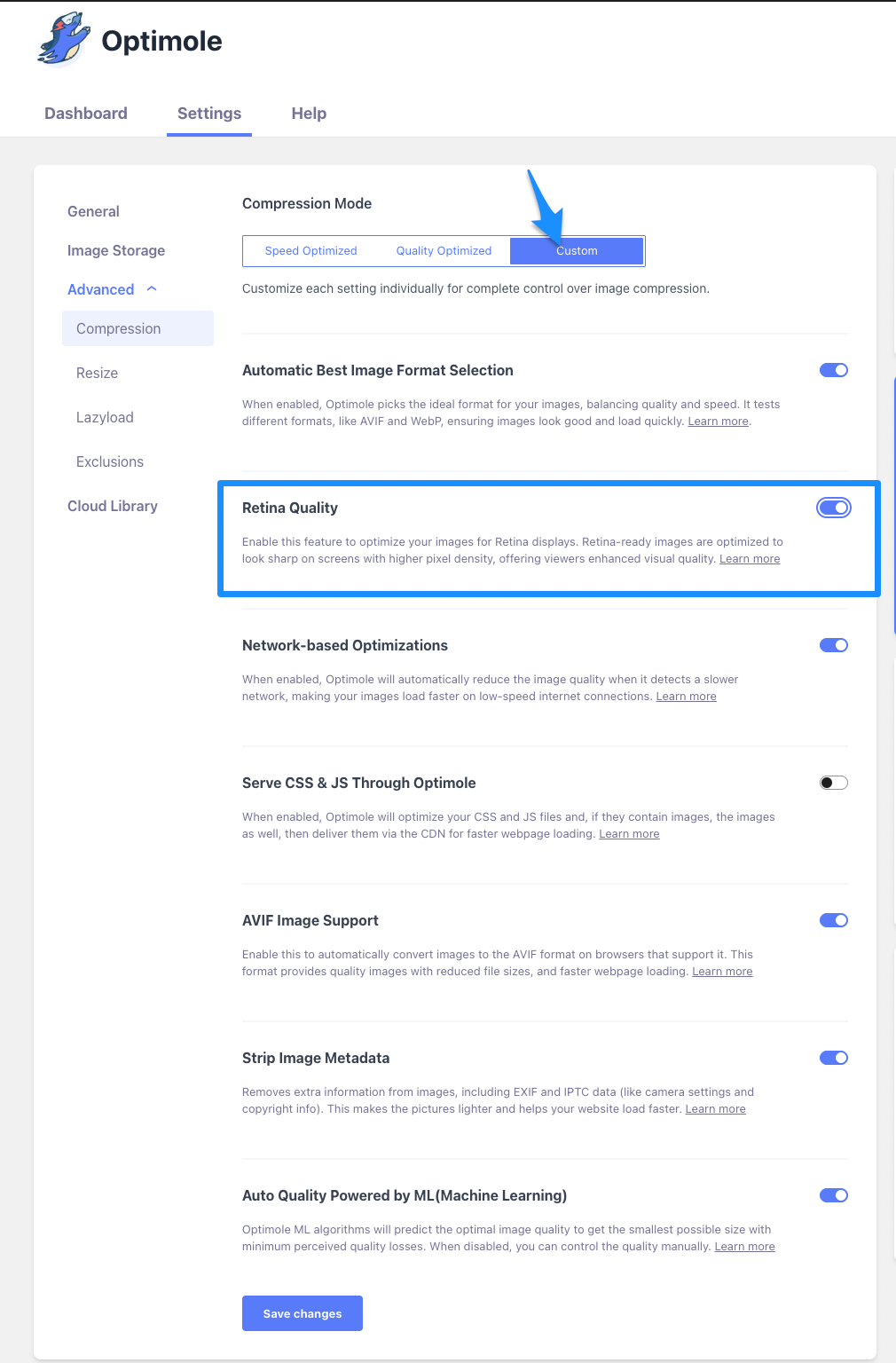
To enable/disable this feature, navigate to WP Dashboard > Optimole.
📝 Note: This feature is automatically enabled with the Quality Optimized preset mode.
1. Open the Settings tab.
2. Expand the Advanced accordion and open the Compression panel.
3. Use the toggle to enable Custom mode.
4. Use the toggle to enable/disable the Retina quality feature.
User Site and Image Impact
Enabling Retina Quality means your website pictures will be incredibly sharp, especially on high-quality screens like those in iPhones and some laptops. Every small detail, like patterns and lines, will appear very clear and impressive. Despite these high-quality images, your website will still load quickly. This feature ensures your site looks professional on advanced screens without slowing down, providing visitors with a great experience.
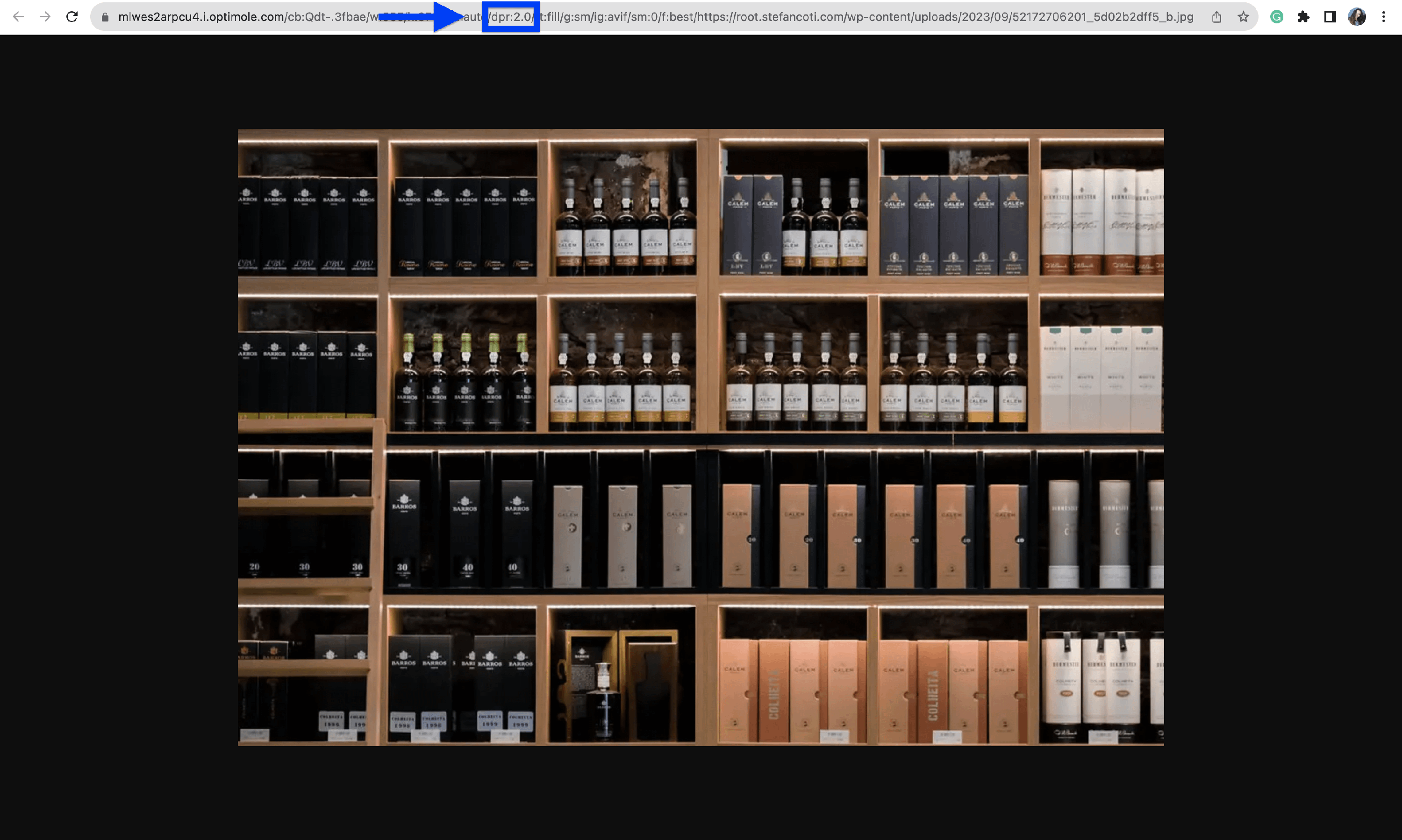
To see if your images are displayed in high quality with the Retina Images feature, open the image URL and look for the dpr:2 parameter. If you find this, it means you're serving Retina Images through Optimole.
📝 Note: You need to have our lazyload enabled for images to be optimized for retina displays.
Technical Note: This feature utilizes Client Hints (Accept-CH) and Permissions-Policy headers. These allow your browser to securely share device-specific information (like viewport size or network type) directly with Optimole’s service, ensuring the most accurate optimization is applied immediately.
Benefits and Trade-offs
Benefits
- Increased credibility - websites with crisp, clear images project professionalism and credibility.
- Enhanced visual experience - high-quality visuals create a positive first impression, enhancing the overall user experience.
Trade-offs
- Compatibility Issues - while most modern devices and browsers support Retina images, older devices or outdated browsers might struggle to render these high-resolution images properly.
Use Cases
The feature can be very advantageous for multiple use cases, such as:
- Mobile apps - mobile applications, especially those on iOS devices like iPhones and iPads, utilize Retina Images to ensure that app graphics, icons.
- Gaming interfaces - video game interfaces and graphics, especially in mobile gaming apps, leverage Retina Images to ensure that characters, landscapes, and in-game elements are displayed in intricate detail on Retina screens.
- Interactive web applications - web applications with interactive elements, such as online design tools or virtual tours.
Related Settings
Useful Resources
You may find useful these guides:
- https://www.codeinwp.com/blog/how-to-optimize-images/#HiDPI
- https://wpmudev.com/blog/make-images-retina-ready/
Still looking for an answer? Contact us!