Appearance
Referral program
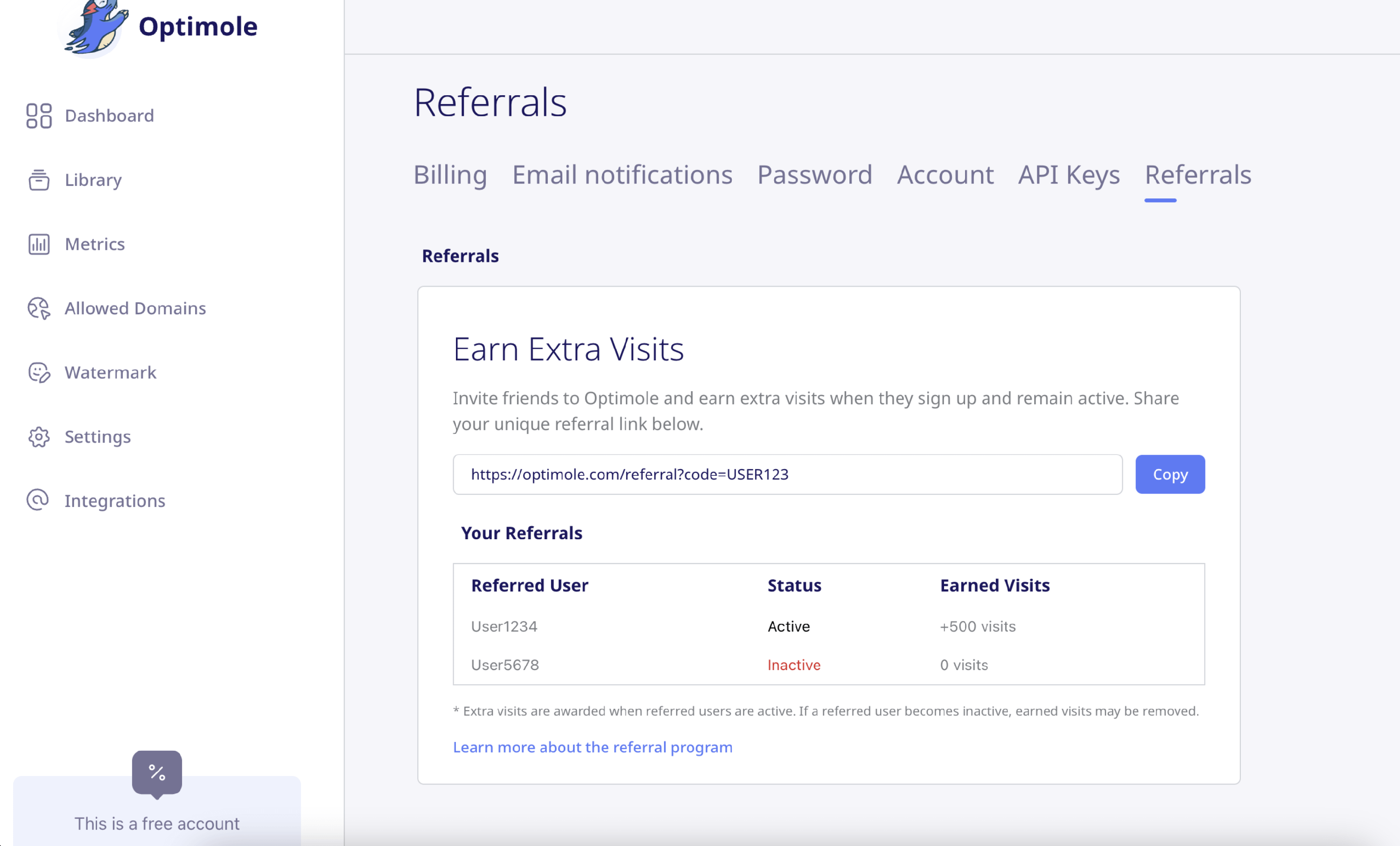
Optimole now allows you to earn additional monthly visits by inviting friends to use the service. Every user has access to a unique referral link that can be shared with others. If someone signs up through your link and remains active, you'll receive bonus visits.
📝 Note: You can refer up to 10 users. Each active referral adds 500 visits to your monthly quota.
In this article
How It Works
- Each Optimole user receives a unique referral link based on their account ID.
- When someone signs up using your link, they are marked as your referral.
- If the referred user remains active (i.e., has a connected website and records at least 100 visits in a billing month), you receive +500 visits.
- If the referred user becomes inactive (e.g., disconnects their site or stops using Optimole), the extra visits are revoked.
- The referral program supports a maximum of 10 active referrals. Once you reach this limit, your referral link will no longer be shown.
Where to Find It
You can find the referral program in your Optimole dashboard:
- Go to the Account section.
- Click on the new "Referrals" tab (next to "Billing", "Email Notifications", and "API Keys").
Share Your Link
From the "Referrals" tab, copy your unique referral link and share it with your friends, clients, or online community.
The interface will also display a list of users you've referred, showing their status (Active or Inactive) and the number of bonus visits earned.
Example